Morse Code Audio Translator detects Morse code tones from audio recordings or live input and converts them into readable text. It is used in different fields, including education, maritime communication, research, amateur radio, and emergency preparedness.
Furthermore, it serves as a significant bridge between classical signalling and modern communication for enthusiasts across the world.
Whether you’re curious about this tool, you’ve landed at the right place; we’ll explain the Morse Code Audio Translator, how the tool works, how to use it, and how timing, speed, and audio quality affect the result. So, let’s start without wasting any time.
What Is the Morse Code Audio Translator?
A Morse Code Audio Translator detects short and long signals, known as dots and dashes, in an audio recording and converts them into readable text.
The audio can be captured through your microphone or uploaded as a stored file from a mobile phone, tablet, or desktop computer.
The translator follows the sequence of dots and dashes by measuring the timing between tones and silent pauses during decoding.
- Dot (dit) = a short tone
- Dash (dah) = a longer tone
- Gap = a silent pause that separates signal elements, letters, or words
Example
Morse Code Audio Translator listens to the beep pattern and decodes the message.
Let’s take an example of “NO” in Morse code:
NO = -. ---
The letter N contains one dash followed by one dot, while O contains three dashes.
How to Use the Morse Code Translator
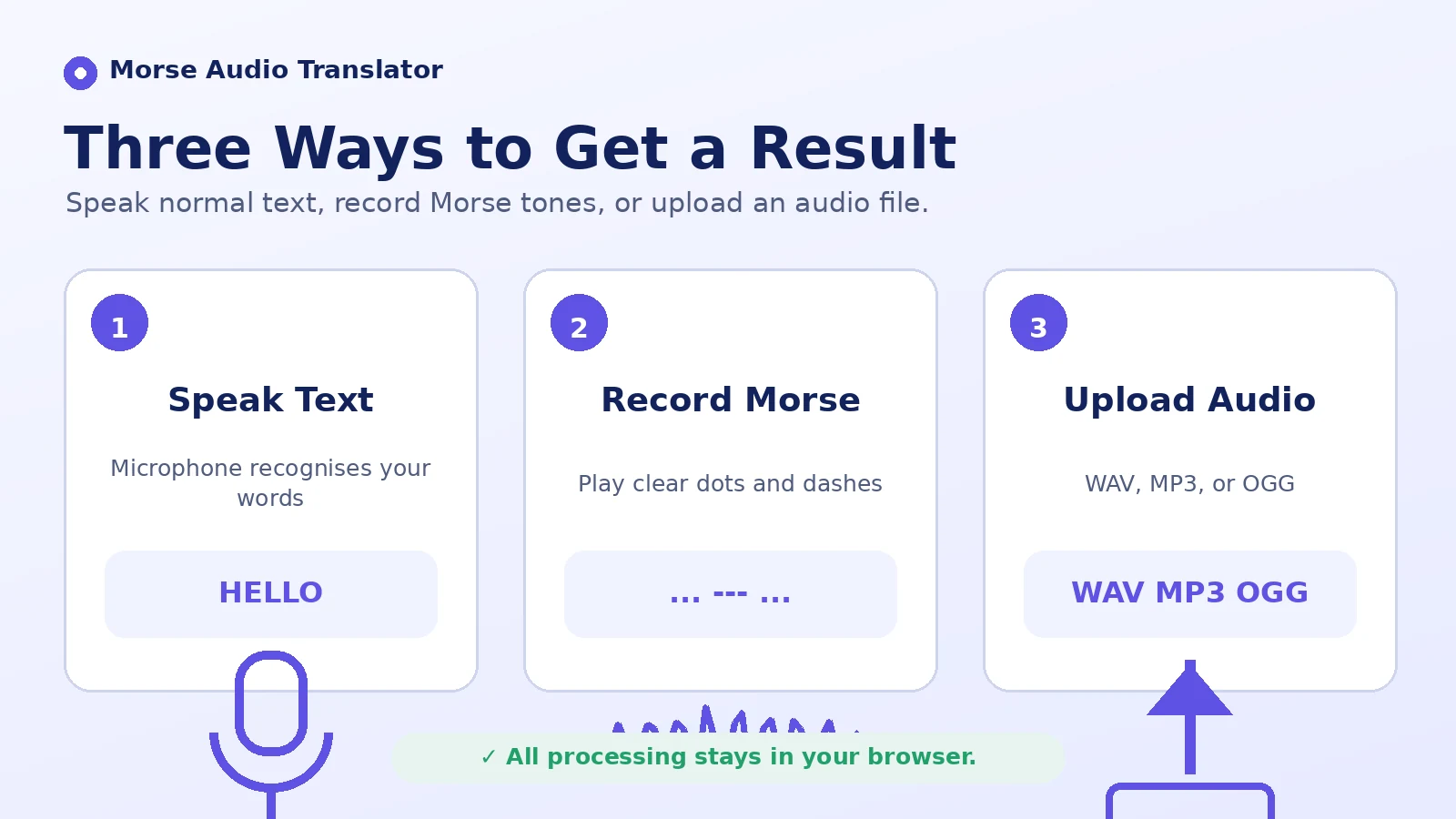
Just follow these steps and get the best translation:
Step 1: Select Your Input Method
Click Listen to capture a Morse code signal through your microphone, and play the tones clearly near the microphone. Alternatively, click Upload to add an audio file. You can also drag and drop your audio file into the upload box. Once you drop the file, it starts loading. When the signal is stored in a screenshot or scanned chart instead, use the image-based Morse decoder.
Step 2: Analyze Audio for Morse Code
After loading your file, press Analyze Audio for Morse Code. The tool scans the audio and uses its available frequency, speed, volume, and signal-processing settings to identify dot-and-dash patterns.
Step 3: Review the Output
The translator displays the decoded text. You can review the result, use it for practice, and compare it with the original message.
Step 4: Play, Copy, or Save Your Text
Finally, you can use the available Play, Copy, or Save options for the decoded text. Use the Clear Message button to reset the tool before the next test.
Why Learn Morse Code Through Audio?
Learning Morse code through audio is valuable because it builds what operators often call the “Morse ear,” allowing you to recognise sound patterns directly.
| Use case | Why audio helps |
|---|---|
| Learning | Your brain recognises rhythm faster than it recalls dot-dash drawings and visual shapes. |
| Practice | Ideal for CW training, mock tests, real-time communication practice, hands-free exercises, and speed-building. |
| Verification | You can confirm whether your Morse code is accurate by hearing it played back. |
| Education | Useful for classroom demonstrations and STEM or communication-history lessons. |
| Hobby | Helpful for puzzles, geocaching, jewellery messages, and maker projects. |
| Emergency basics | Learning SOS and a few basic signals can be useful as supplementary knowledge, but it should not replace established emergency communication methods. |
Morse Code Audio Translator Timing Rules
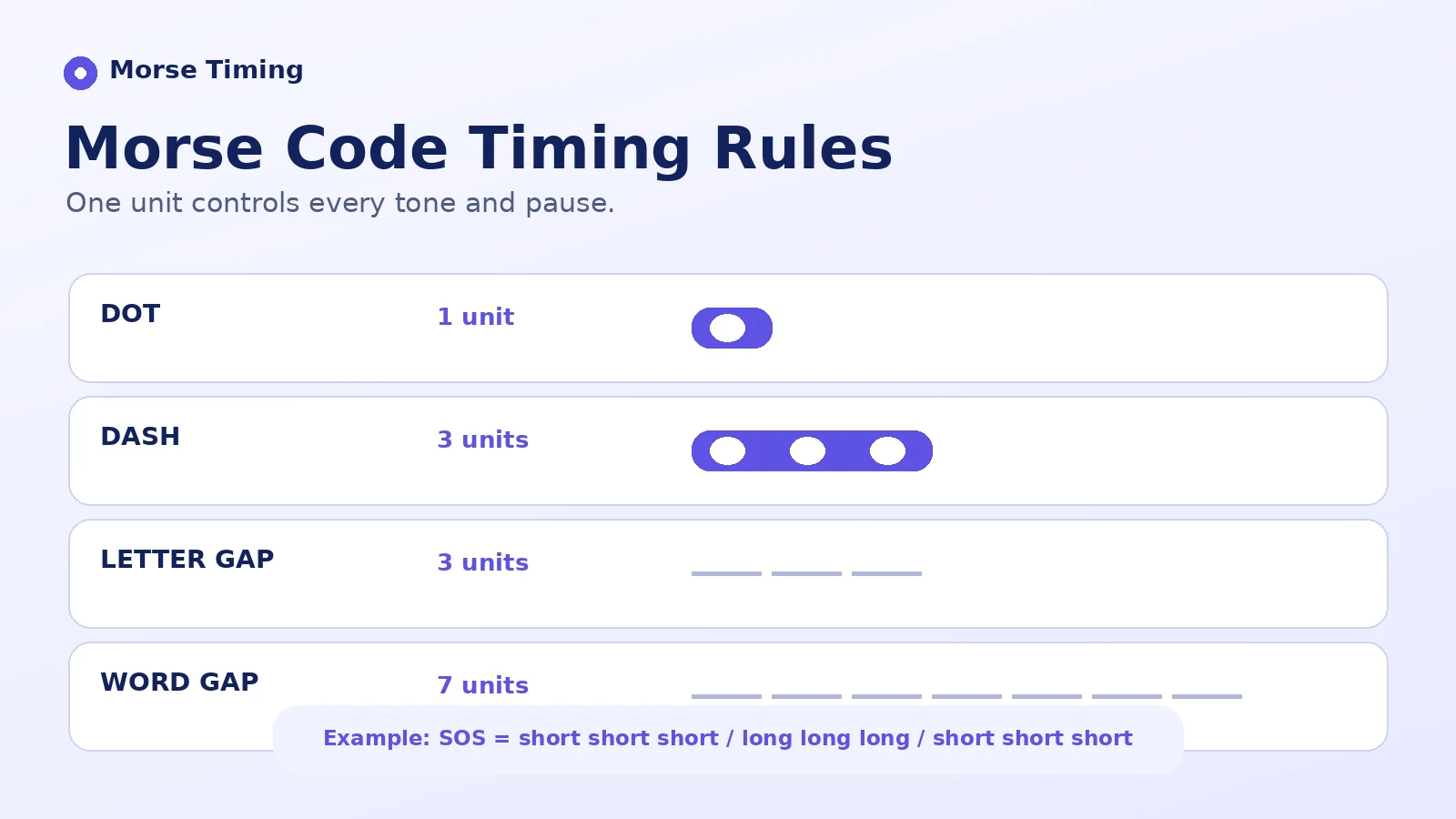
Accurate Morse code audio translation depends heavily on precise timing. These rules play a critical role in text translation; if the timing is inconsistent, the result may be inaccurate.
When you decode audio into text, follow the International Morse timing standard listed below:
| Signal element | Duration (time units) | What it represents |
|---|---|---|
| Dot (dit) | 1 unit | Short beep - the basic unit of time |
| Dash (dah) | 3 units | Long beep - three times the length of a dot |
| Intra-character gap | 1 unit | Silence between dots and dashes within one letter |
| Inter-character gap | 3 units | Silence between two letters |
| Word gap | 7 units | Silence between two words |
Common Morse Code Audio Examples
Here are the most common examples of Morse code audio that can be decoded into text. For a practical distress-message example, see how to send HELP in Morse code.
| Text | Morse code |
|---|---|
| HELP | .... . .-.. .--. |
| SOS | ... --- ... |
| PLEASE | .--. .-.. . .- ... . |
| ME | -- . |
Key Features of the Morse Code Audio Translator
Morse Code Audio Translator is an amazing tool that offers standout features and provides reliable decoding:
- Instant Audio-to-Text Decoding: The tool captures a supported Morse audio signal and can decode it into text quickly, depending on the file length and signal quality.
- User-Friendly Interface: It provides a simple interface and an easy decoding process.
- Free to Use: You can use the tool without entering credit-card details.
- Privacy-Focused: When browser-based processing is enabled, the audio can be analysed locally without being sent to an external server.
- Responsive Design: The tool is designed to work on smartphones, tablets, and desktop devices.
- Easy to Share: You can share the converted message through supported apps or platforms when the sharing option is available.
- International Morse Code Support: Decode supported letters, numbers, and symbols using the International Morse code standard.
Who Uses a Morse Code Audio Translator?
Morse Code Audio Translator serves a wide range of users in fields including education, communication, navigation, maritime activities, and recreation:
| Audience | Typical use |
|---|---|
| Students and learners | Communication history, wartime technology, and signalling projects. |
| Amateur radio operators | CW practice, beacon identification, callsign drills, contest exchanges, and on-air confidence. |
| Scouts and guides | Badge work and basic signalling skills. |
| Educators and teachers | Interactive classroom demonstrations that build listening skills and historical awareness. |
| Puzzle designers | Escape rooms, alternate reality games, audio clues, and geocaching clues. |
| Film and game creators | Authentic Morse code sound design and props. |
| Researchers | Web Audio API experiments, FFT analysis, and volume-threshold techniques. |
| Makers | Arduino projects, LEDs, buzzers, and training kits. |
| Preparedness learners | Supplementary signalling basics such as SOS and short phrases. |
Tips for More Accurate Morse Audio Decoding
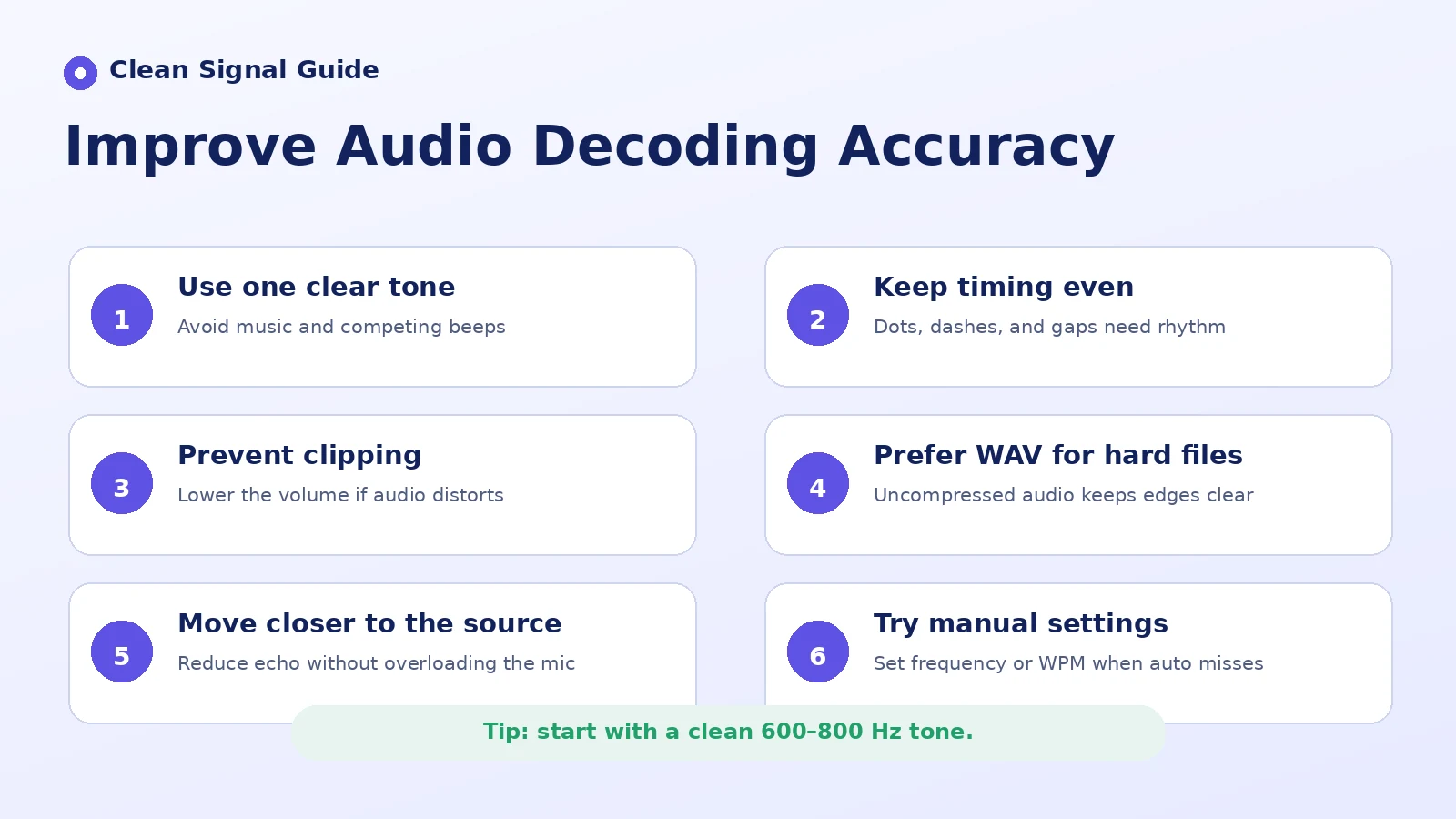
When you decode Morse audio into text, follow these tips to maximise translation accuracy and get a better result:
- Single Channel: For difficult signals, use a clean mono recording or isolate the strongest Morse tone with an audio filter.
- Match the Frequency: Different tools may be configured for different tone frequencies. Before decoding a signal, make sure its frequency remains consistent.
- Prefer One Dominant Tone: A clear CW signal is easier to track than multiple simultaneous beeps or competing tones.
- Avoid Clipping: Heavy distortion can scatter the signal envelope and damage the boundaries between dots and dashes.
- Adjust the Speed: When the tool provides speed controls, fine-tune the playback or decoding speed and volume to suit both beginners and experienced CW operators.
- Move the Microphone Closer: A stronger direct signal generally reduces the relative effect of room echo. Move the microphone closer to the sound source without causing distortion.
- Use WAV Format: Use an uncompressed WAV file for difficult decoding tasks when possible. Heavy audio compression can distort short tone transitions and reduce decoding accuracy.
How to Learn Morse Code With Audio
You can learn Morse code with audio by following techniques that make practice easier and more effective.
Common and Distinctive Letters
Start with common letters that have short, distinctive patterns, such as A, E, I, T, and N.
Focus on the Sound
Focus on the complete sound rather than the written symbol. For example, hear S as one pattern instead of counting three separate dots.
Short and Simple Words
Learn short words such as “HI,” “SO,” and “AND” in Morse code. These exercises help your brain recognise patterns more quickly.
Practice Familiar Words
Decode words used in daily life, such as “HELLO” and “HEY.”
Practice Daily
Practise for at least 5-10 minutes each day to remember the patterns more clearly.
For learning Morse code, use the Audio Translator regularly and create a consistent practice schedule for two to three weeks. Following a routine can help you stay motivated and improve your listening skills throughout the learning process.
| Days | Focus | Practice words |
|---|---|---|
| 1-5 | E, T, A, N | AT, TEA, TEN |
| 6-10 | I, M, S, O | SIT, MISS, MOST |
| 11-15 | H, R, D, K | HARD, DARK, RID |
| 16-21 | B, L, U, W | BLUE, WELL, BELOW |
How Does Morse Code Speed Work?
The speed of Morse code is measured in words per minute (WPM). Because words have different lengths, the standard word “PARIS” is used as a reference. It contains exactly 50 timing units when all dots, dashes, and spaces are counted. A speed of 20 WPM means that twenty standard 50-unit words can be transmitted in one minute.
At 20 WPM, each timing unit is about 60 milliseconds. At 5 WPM, each dot lasts approximately 240 milliseconds. At 30 WPM, each dot lasts about 40 milliseconds.
| Level | WPM | What it feels like |
|---|---|---|
| Beginner | 5 to 10 | Enough time to think and copy individual letters and short words. |
| Intermediate | 12 to 18 | You begin recognising complete sound patterns instead of counting individual dots and dashes. |
| Conversational | 20 to 30 | Fast conversational CW for experienced operators. |
| Contest and high speed | 35 to 45+ | Experienced operators may recognise complete words with less conscious effort per character. |
Farnsworth Timing in Morse Code Audio
Farnsworth timing is a training technique in which characters are sent at a higher character speed with longer gaps between them. Each character is played at a relatively fast speed, while extra spacing is added between characters and words. This helps learners recognise the overall sound of each character instead of counting individual dots and dashes.
Why Morse Audio Decoding May Fail
Several issues can affect text decoding because an error at any stage can change the overall result:
- Incorrect speed settings
- Inconsistent timing
- Competing signals
- Noise, speech, or music
- A louder competing tone
- Room echo or signal tailing
International Morse Code Chart
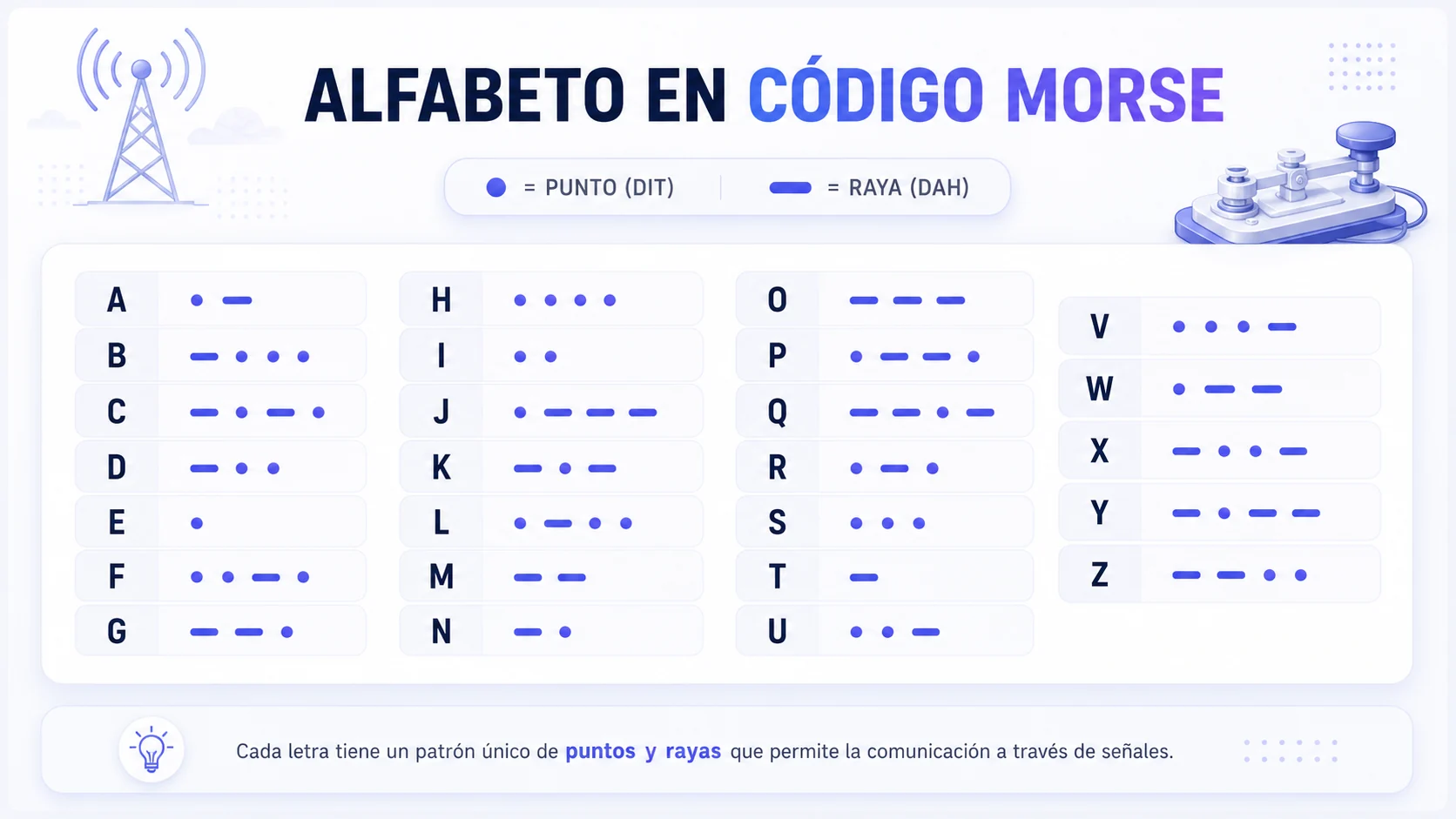
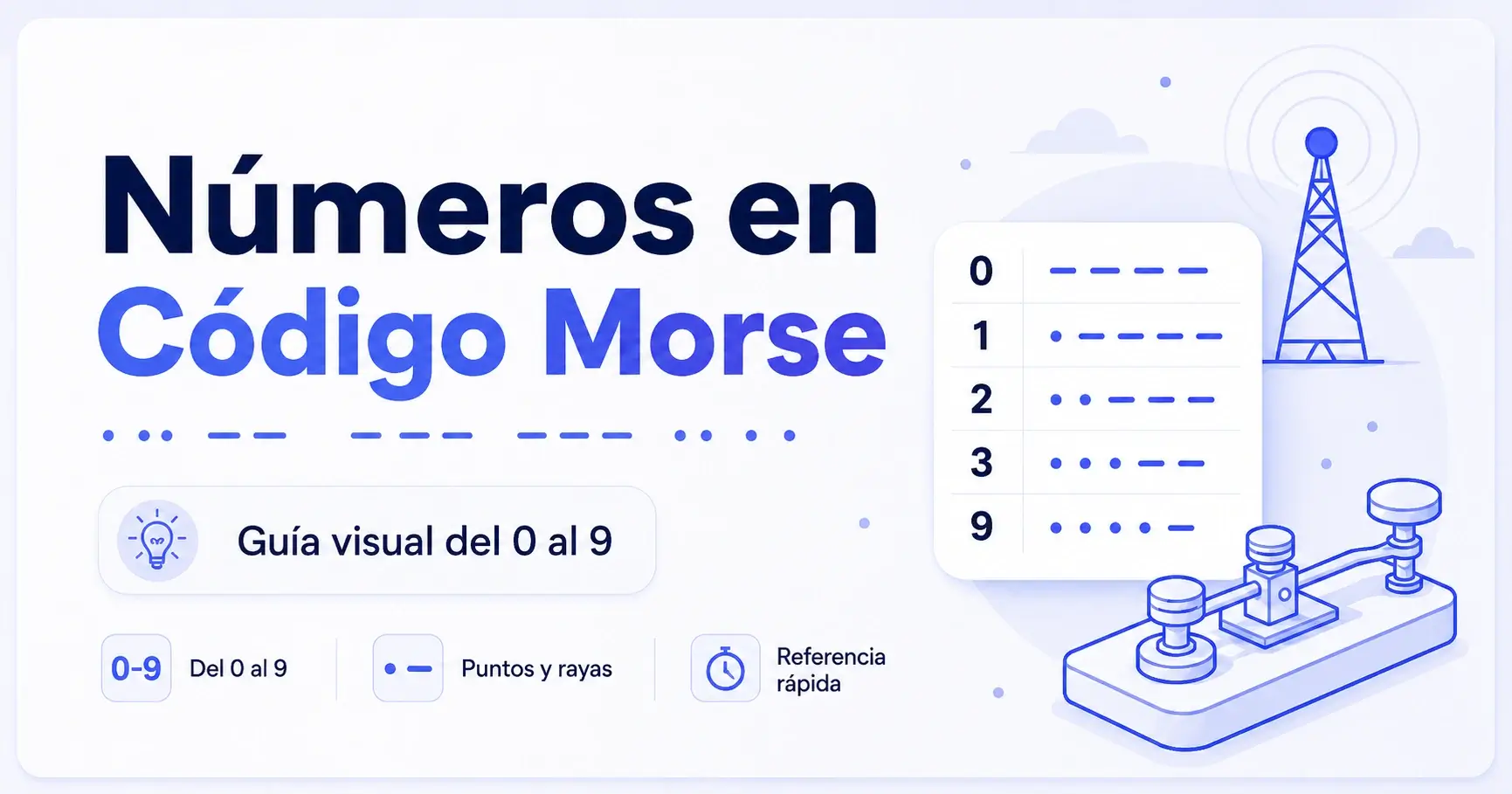
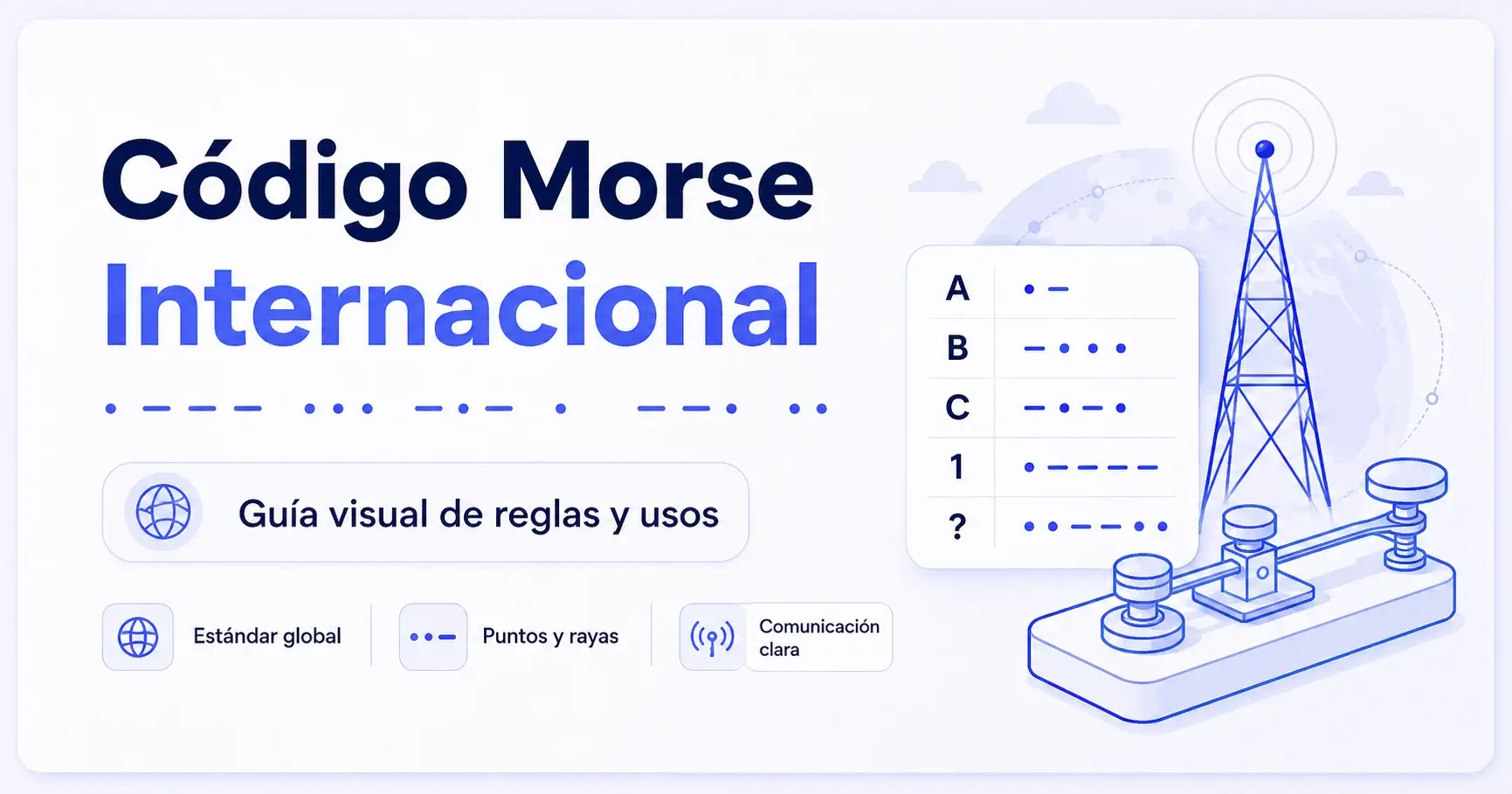
Here’s a quick view of how International Morse code is organised. For focused reference pages, review the complete Morse code alphabet and the patterns for Morse code numbers.
Letters (A-Z)
| Letter | Code | Letter | Code |
|---|---|---|---|
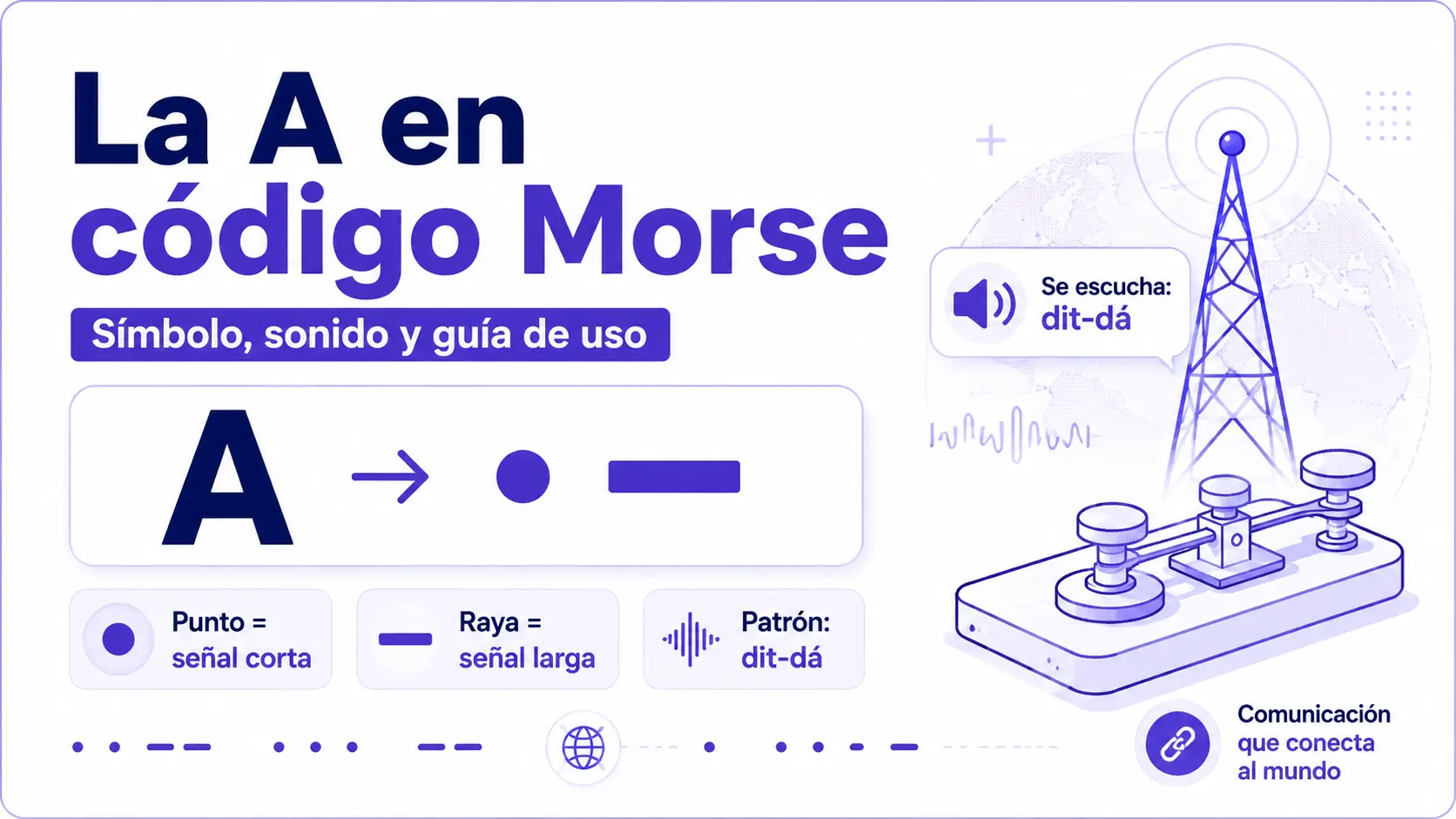
| A | .- | N | -. |
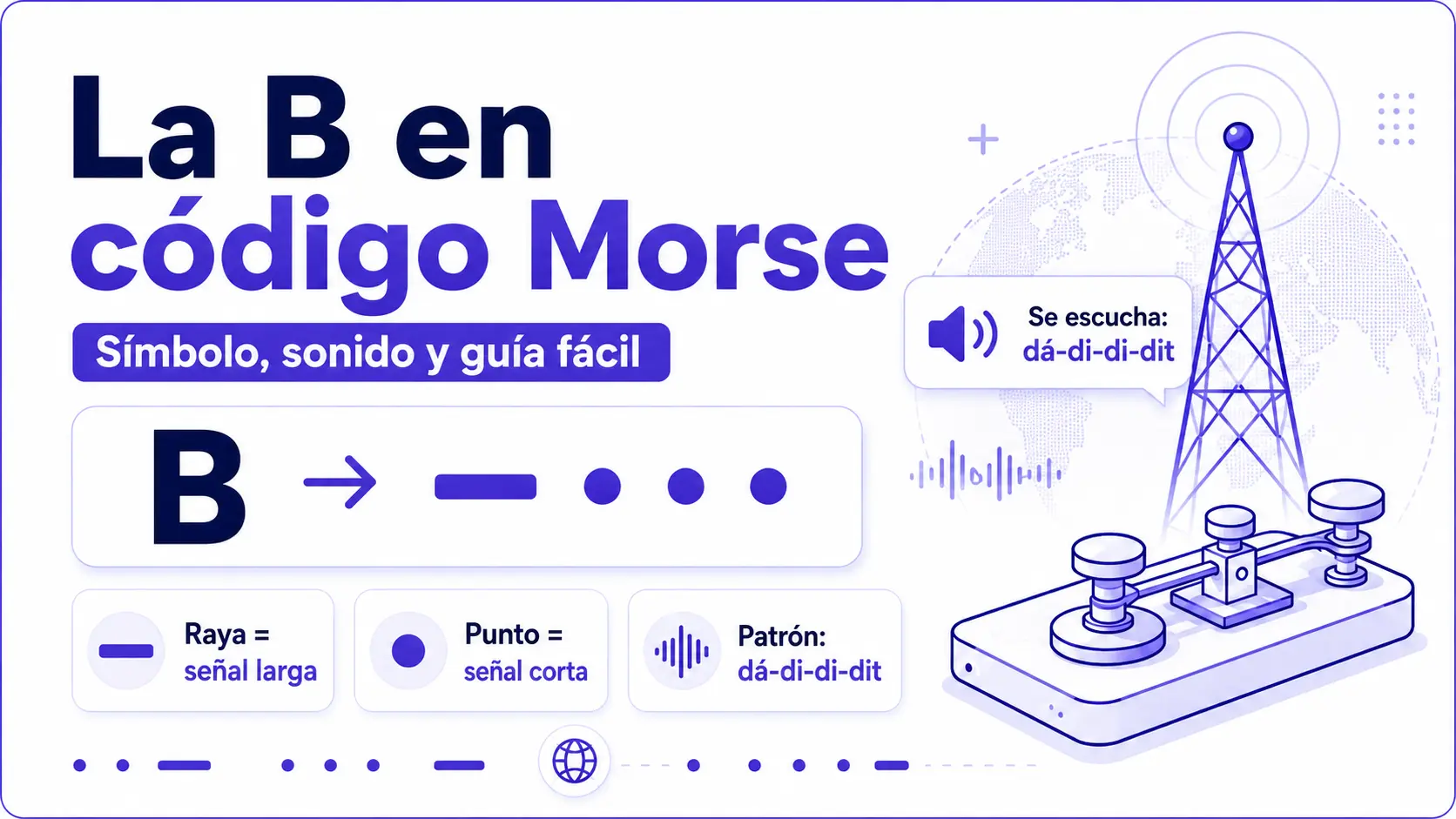
| B | -... | O | --- |
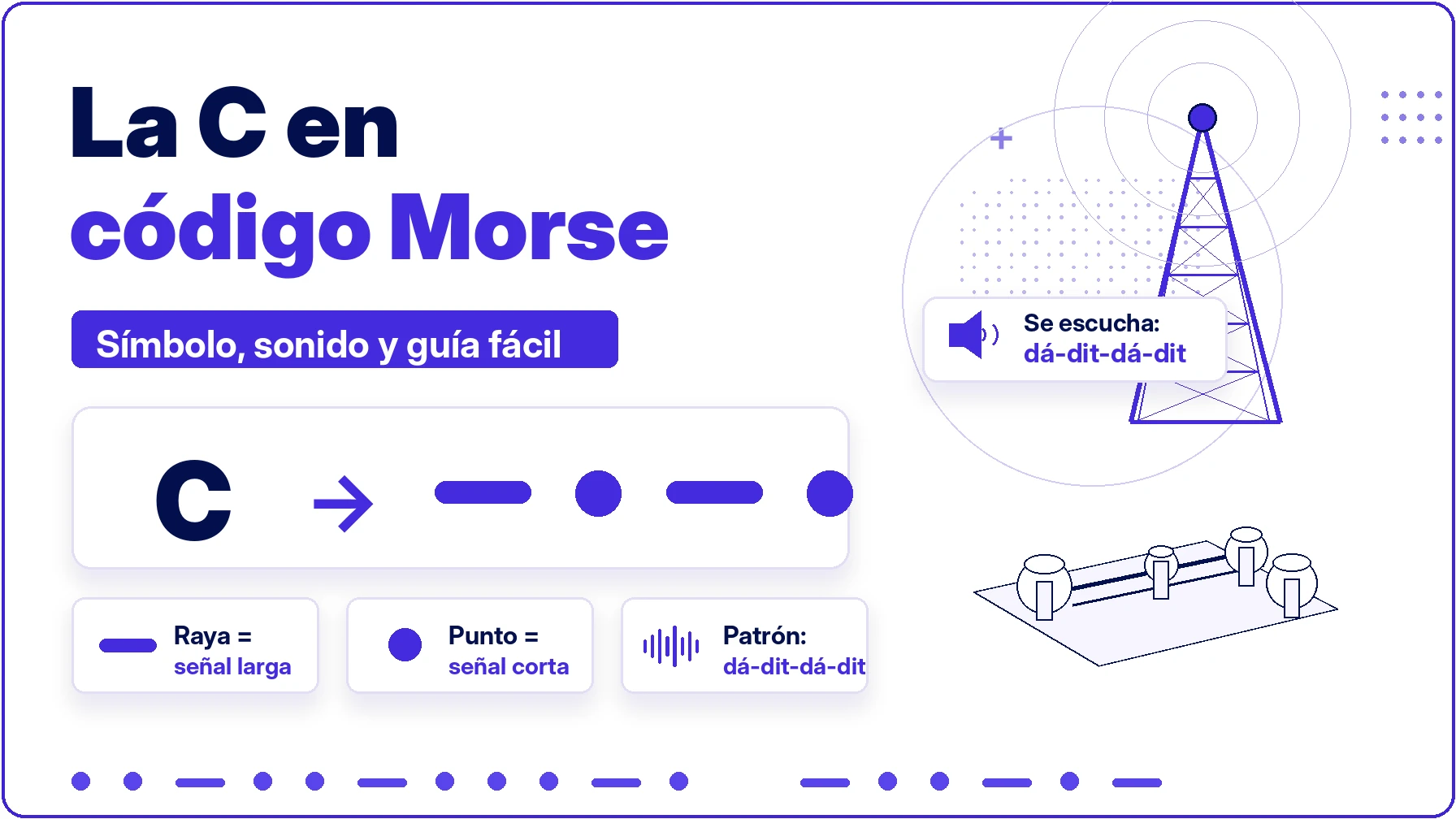
| C | -.-. | P | .--. |
| D | -.. | Q | --.- |
| E | . | R | .-. |
| F | ..-. | S | ... |
| G | --. | T | - |
| H | .... | U | ..- |
| I | .. | V | ...- |
| J | .--- | W | .-- |
| K | -.- | X | -..- |
| L | .-.. | Y | -.-- |
| M | -- | Z | --.. |
Numbers (0-9)
| Number | Code |
|---|---|
| 0 | ----- |
| 1 | .---- |
| 2 | ..--- |
| 3 | ...-- |
| 4 | ....- |
| 5 | ..... |
| 6 | -.... |
| 7 | --... |
| 8 | ---.. |
| 9 | ----. |
Common Punctuation and Signs
| Sign | Code |
|---|---|
| . (Period) | .-.-.- |
| , (Comma) | --..-- |
| ? (Question mark) | ..--.. |
| / (Slash) | -..-. |
| + (Plus) | .-.-. |
| @ (At sign) | .--.-. |
FAQs
Offline use depends on how the website is built. If the decoding process and required files are available locally after the page loads, the tool may continue to work offline. Availability can vary by browser and website setup.
The Morse Code Audio Translator can support formats such as WAV, MP3, and OGG when those formats are accepted by the tool and supported by the user’s browser.
This can happen when the tone, timing, speed, or frequency is inconsistent. Slower, clearer, and more evenly spaced signals commonly produce better results.
It can decode Morse signals in real time when the tool continuously analyses microphone input. Some tools may record a sample first and analyse it afterward.
Converting Morse code audio into text is a simple process; just follow these steps:
- Press Listen to capture a Morse audio signal or use Upload to add a supported audio file.
- Click Analyze Audio for Morse Code.
- Review the decoded text.
- Copy or save the result.
Conclusion
The Morse Code Audio Translator combines modern signal processing with the International Morse code standard to decode audio into readable text. Its design can combine a vintage terminal-style appearance with tone detection, timing analysis, frequency analysis, and threshold techniques.
By using modern audio-processing and signal-detection technology, this tool allows you to decode Morse code signals into plain text. Let’s try this tool and see how user-friendly it is for both beginners and experts.